
Today’s work
See each crew’s day.
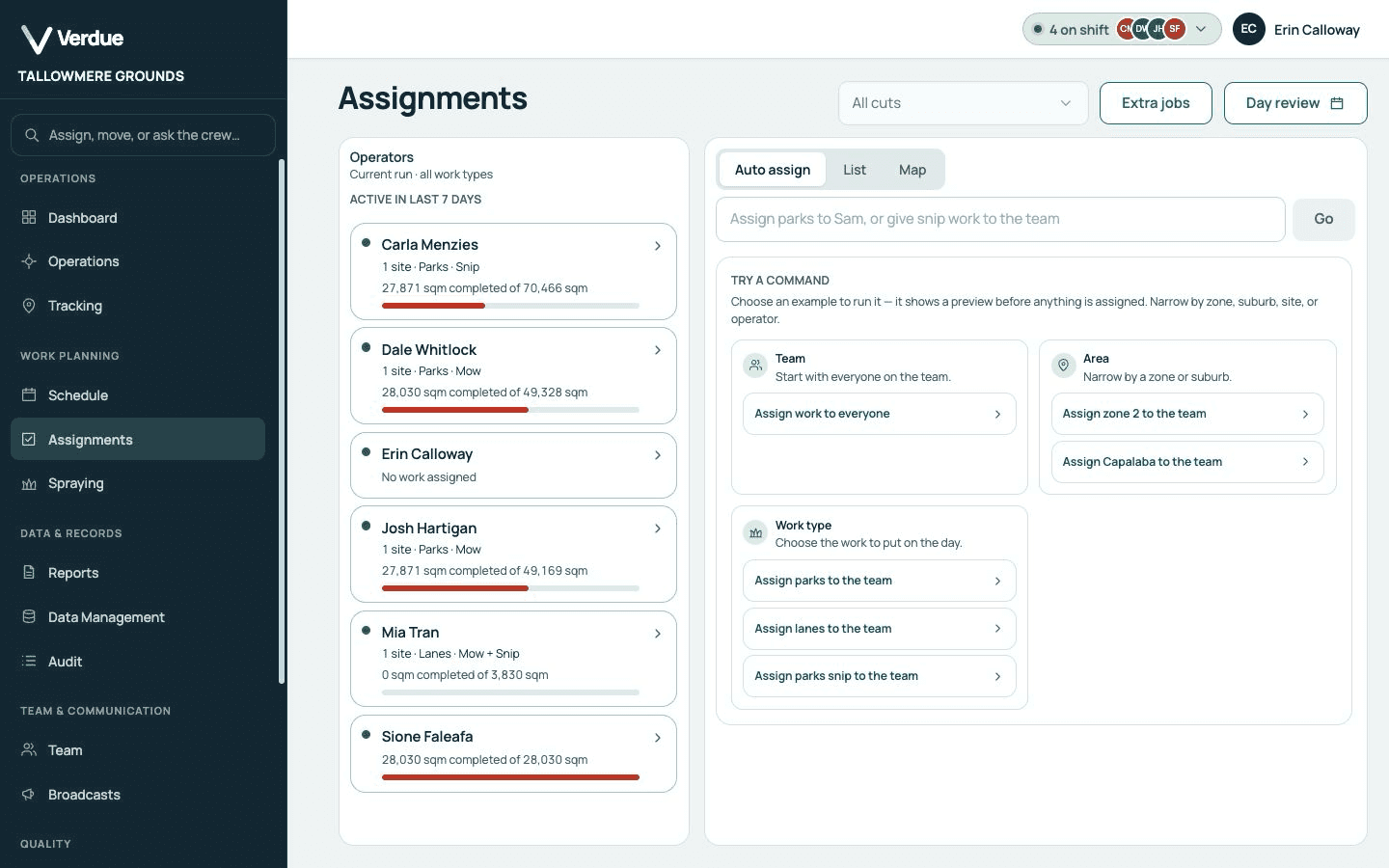
Every operator’s assigned sites and area sit side by side, so an uneven day is obvious before anyone drives out.
Platform Work management
See who has what today. Crew workloads, assigned sites and unfinished visits sit in one plan, so the office and the crew start from the same page.
Today’s work
Every operator’s assigned sites and area sit side by side, so an uneven day is obvious before anyone drives out.
Carry-over
A visit that could not be finished stays in the plan, ready to be picked up on the next run.
Plain commands
Type what you want, such as giving a zone or a work type to the team, and check the preview before anything is assigned.
Your questions
Yes. The assignments view lists each operator with their sites and area for the current run.
It stays in the plan as carry-over, so it can be assigned again rather than forgotten.
No. Assignment commands show a preview first. Nothing is assigned until you confirm.
More of the platform